Easy steps to invest globally with BLS Global Investing with only one Login
Easy steps to invest globally with BLS Global Investing with only one Login


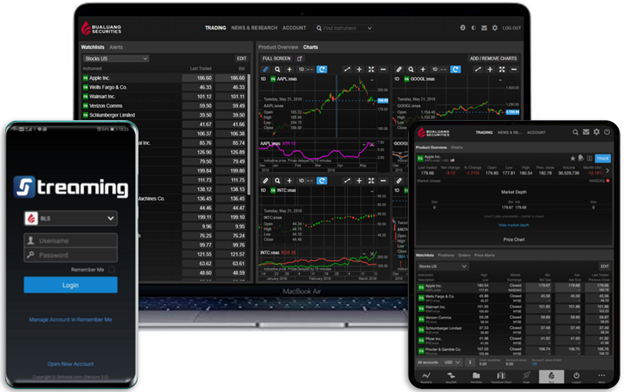
In the world of globalization or an Internet of Things (IoT) era, people are more connected than ever before and global investment would not be difficult anymore!!
Bualuang Securities provides BLS Global Investing services in which you can deposit, withdrawal, transfer, foreign currency conversion, global stock order execution, and check portfolio easily within only one app. Moreover, we keep you updated by our research paper that would lead you to explore the global investment easier!!
Getting started with BLS Global Investing
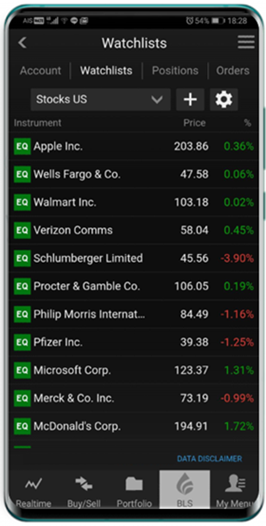
Let’s get started by Login with Streaming application, which is the same application for investing in Thai stock market. You can use your username and password that is the same as your Streaming application and make a transfer into global investing account by converting Thai baht into other foreign currencies through Streaming, Connex or Trade Master application.
- Only one login enables you to invest fast and easy with no password forgotten issue.
- Click the “BLS” main menu and then click sub menu “Global Investing” then click “Global Invest” to access into BLS Global Investing without another username and password required!!
Deposit and transfer methods with BLS Global Investing
There are two channels to transfer your Thai Baht into your Global Investing account.
- Via smartphone/tablet application
- Via Streaming or through our website at www.bualuang.co.th
Transfer methods via smartphone
Step 1 : Login into your account by using the same Username and Password of the streaming application.
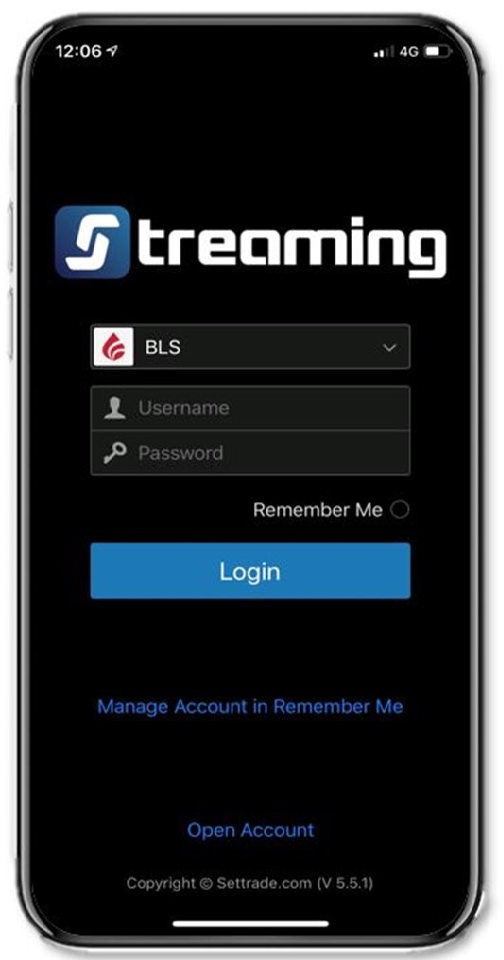
*You can transfer your money via Streaming, Connex and Trade Master application.
Step 2 : After login into your account click BLS menu and then choose “Global Investing”
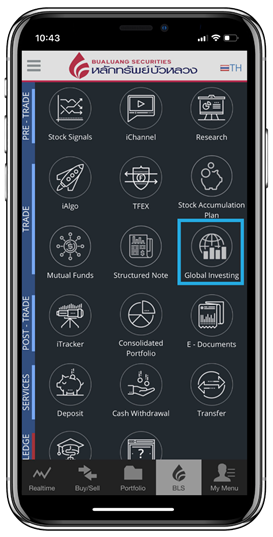
Step3 : Click “Transfer” menu
*Before transfer the money into Global account, investors have to deposit money into Thai account either in Cash collateral or Cash Balance. Minimum for the first deposit is 500,000 THB (no minimum amount for the next transfer)
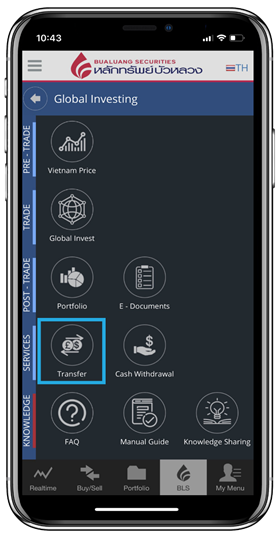
Step 4 : Enter the details to convert Thai baht into foreign currency and then click “Next” to confirm the order.
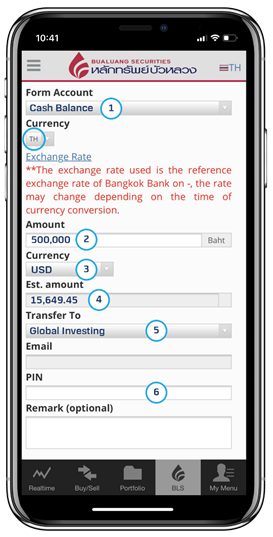
1. Choose your Thai account either Cash collateral or Cash Balance and then choose Thai Baht currency (THB).
2. Enter the amount of Thai baht to transfer into foreign currency.
*Before transfer the money into Global account, investors have to deposit money into Thai account either Cash collateral or Cash Balance. Minimum for the first deposit is 500,000 THB (no minimum amount for the next transfer).
3. Select foreign currency that you want to convert.
4. The estimated amount of foreign currency will be shown. (The system will calculate the estimated amount of foreign currency)
5. Choose BLS Global Investing account to be the destination account.
6. Enter both your email and PIN.
7. Click “Next” and recheck your order then confirm.
Transfer methods via Bualuang website.
Step1 : Login into www.bualuang.co.th
Username : your account number (six digits)
password : The same password as your Thai account.
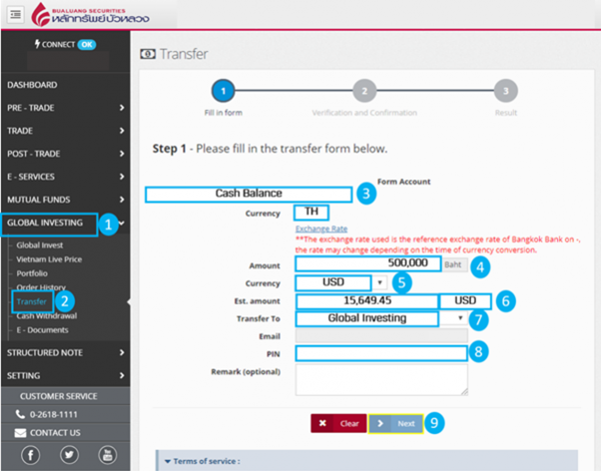
1. Go to “Global Investing” menu.
2. Click “Transfer”
3. Choose your Thai account either Cash collateral or Cash Balance and then choose Thai Baht currency (THB).
4. Enter the amount of Thai baht to transfer into foreign currency.
*Before transfer the money into Global account, investors have to deposit money into Thai account either Cash collateral or Cash Balance. Minimum for the first deposit is 500,000 THB (no minimum amount for the next transfer).
5. Select foreign currency that you want to convert.
6. The estimated amount of foreign currency will be shown. (The system will calculate the estimated amount of foreign currency)
7. Choose BLS Global Investing account to be the destination account.
8. Enter both your email and PIN.
9. Click “Next” and recheck your order then confirm.
How long does it take to transfer your money into BLS Global Investing account ?
Company will take approximately 2-3 working days to transfer Thai baht into Global investing account after the day in which the transfer order was confirmed. You will receive a confirmation email when the process is done. Then the journey to invest globally has begun!!
How to start investing globally ?
Step 1 : Login with Streaming Username and Password.
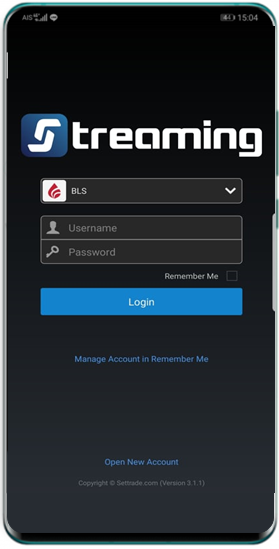
Step 2 : To know all the menu, after logging to the system, you can choose the tap “BLS” then “Global Investing” then choose the sub menu “Global Invest” then choose not to miss any fundamental data!!
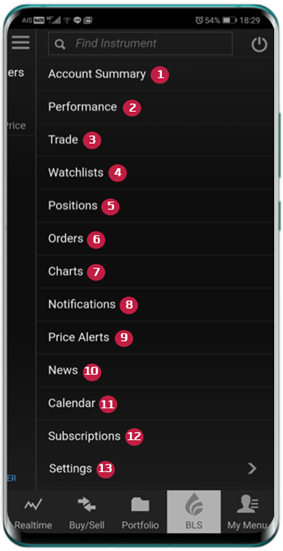
1. Account Summary main page to access key menu.
2. Performance report for your investing portfolio.
3. Trade orders execution.
4. Watchlists create your own Watchlists to follow up on your favorite stocks.
5. Position current stocks holdings on portfolios.
6. Order existing trading orders.
7. Chart charts for instruments, different indicators are available for analysis.
8. Notification system notification such as Price Alerts.
9. Price Alerts notification when stocks price move into set up conditions.
10. News news updates, both economic and equities news.
11. Calendar global economic calendar updates.
12. Subscriptions subscript for real time market data.
13. Setting trading platform set up such as Theme and Workspace.
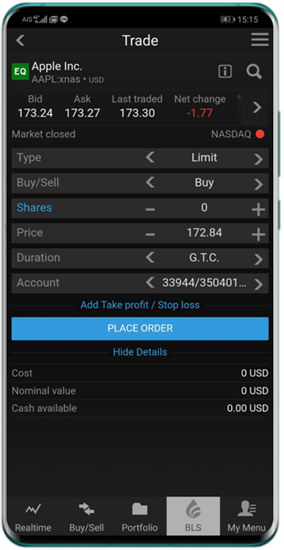
Step 3 : Trade Menu: The trading system is efficient and fast with high accuracy. You can send the order anywhere and anytime. You can also set your own order type and Stock Price Alert.
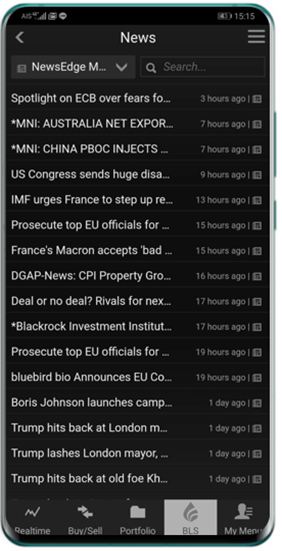
Step 4 : News Menu: You can access to news update around the world or search any news related to the stock.
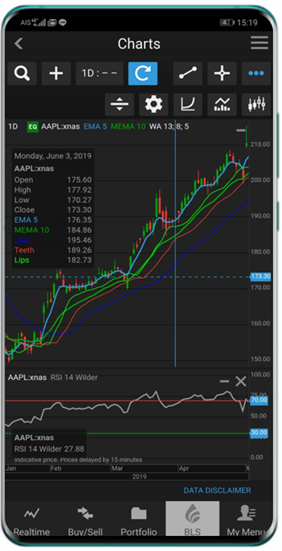
Step 5 : Chart Menu: Multiple analysis tools where you can search your favorite stock with different indicators available for analysis!!
Download Global Investing Manual Guide by clicking
ดาวน์โหลดคู่มือการใช้งาน BLS Global Investing ระบบซื้อขายหุ้นต่างประเทศ…คลิกที่นี่
Let’s get to know 6 convenient order types on trading platform.
1. Market Order : Execute orders at Market Price.
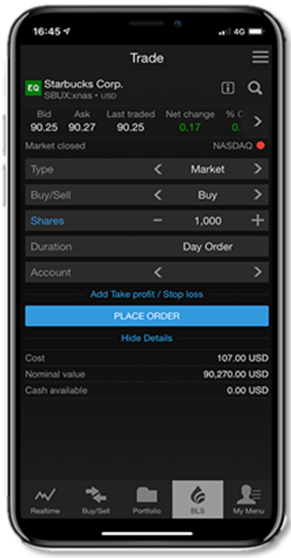
2. Limit Order : Use to enter the market and take profit at predefined levels.
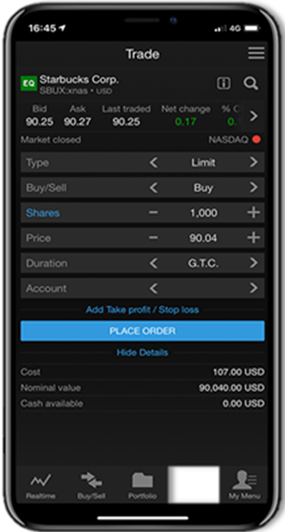
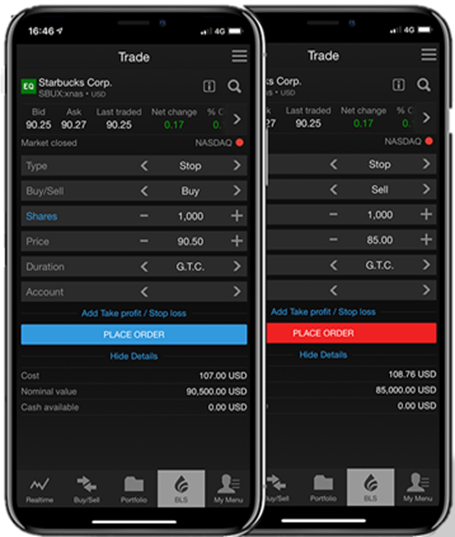
3. Stop Order :
Stop Order Buy : execute buy order when the market price exceeds the given price. When the price is triggered, the system will execute buy order at market price.
Stop Order Sell : stop loss order when the market price drops below the given price. When the price is triggered, the system will execute sell order at market price.
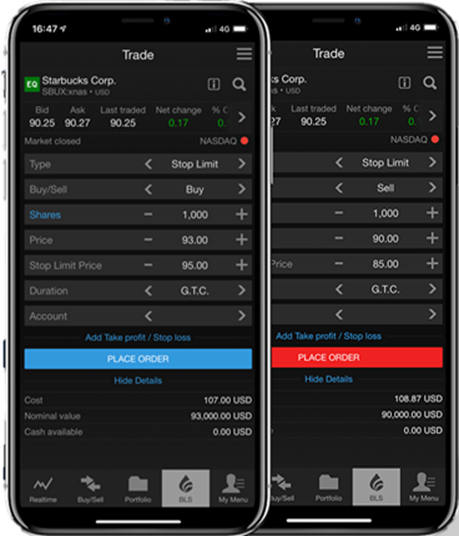
4. Stop Limit : Similar to Stop Order so when the order is triggered, the system will send orders at the given Limit price (instead of sending at market price).
Stop Limit Buy : Place buy order when the market price exceeds a given price, when trigger, the system will send orders at given Limit price.
Stop Limit Sell : Place sell order to stop loss when the stock price drops below a given price.
When trigger, the system will send orders at given Limit price.
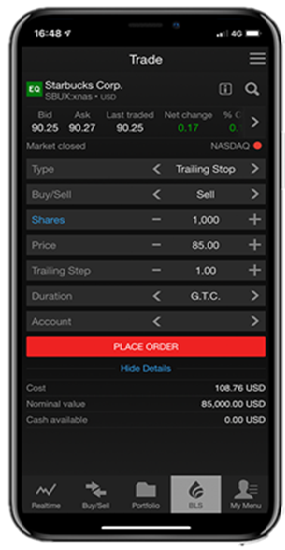
5. Trailing Stop : For locking your profit when the stock price drops below your given price.
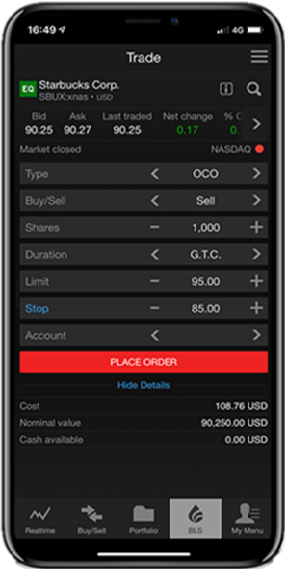
6. One Cancels the Other (OCO) :Suits for clients who currently hold share, wishing to take profit on shares and prevent the market risk by setting stop loss function. When either the conditions satisfy, the system will automatically cancel the counter side.
How to check your portfolio ?
Check your portfolio and overview of your holdings in all asset type to manage your investment easily!!
For US and Hong Kong stock market, you can check your global portfolio through “Global Invest” system and go to “Positions” menu to see your holdings. The system will display your position for your investment in US and Hong Kong stock market.
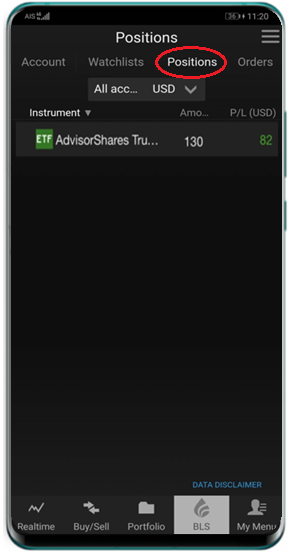
You can check your overall holdings in “Portfolio” menu, which will show all your investment in US, Hong Kong, and Vietnam market by choosing Global Investing menu then choose “Portfolio”
Step 1 : Choose “Global Investing” Menu to use global investing service.
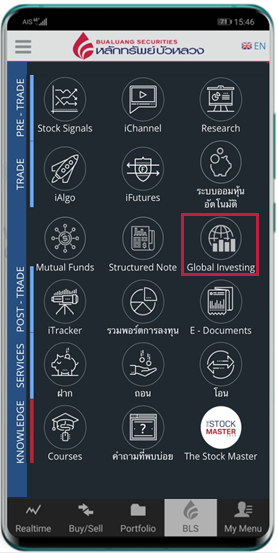
Step 2 : Choose “Portfolio” sub menu, which will show your investment in US / HK / VN stock market.
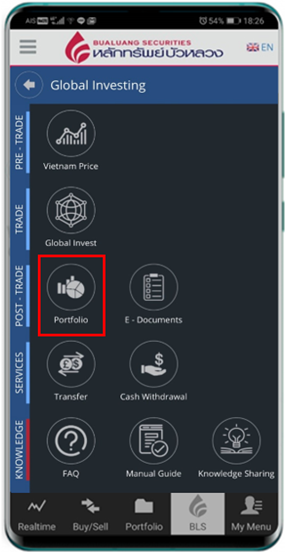
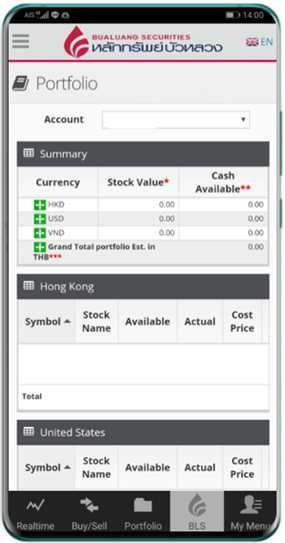
Step 3 : Show your overall portfolio
- Portfolio: System will show summary of investment in US / HK / VN stock market
- Summary: System will show a summary of the total value in your portfolio, which will show the stock that you are holding categorized by countries and Cash Available
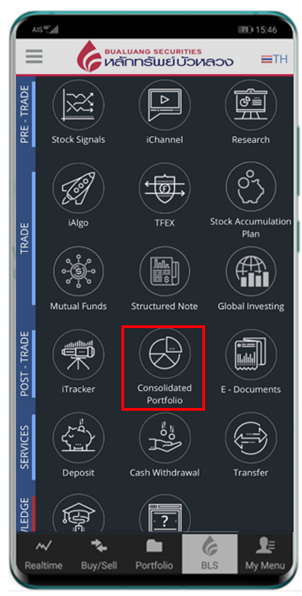
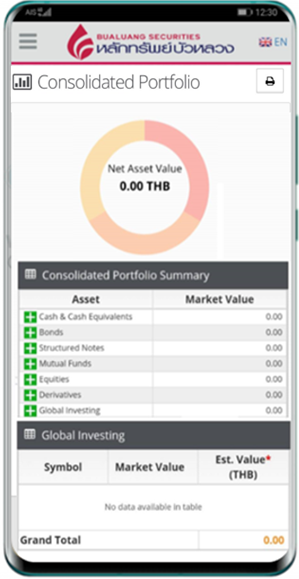
Step 2 : “Consolidated Portfolio” will show your total holdings in all asset.
Extensive with summary of market conditions together with global stocks reports.
Update market conditions and global stocks so you will not miss out any current news!!
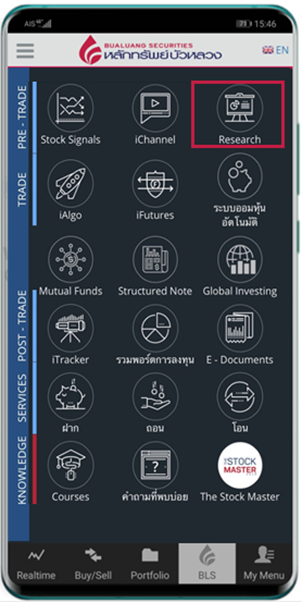
Step 1 : Choose “Research” menu to use BLS Global Investing Papers service
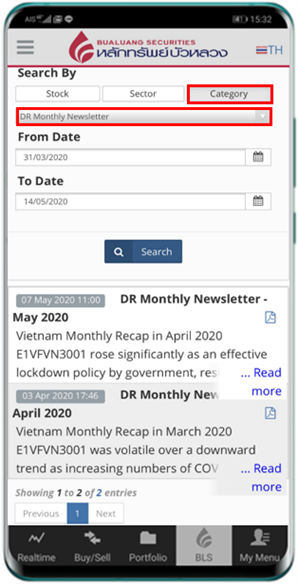
Step 2 : Choose “Category”
- US Stock
- HK Stock
- Vietnam Stock
- Global ETFs
- Global Weekly Update
- Global Snapshot
Step 3 : You will not miss out any top stocks in the market or any investment ideas as we would update the market conditions every week!!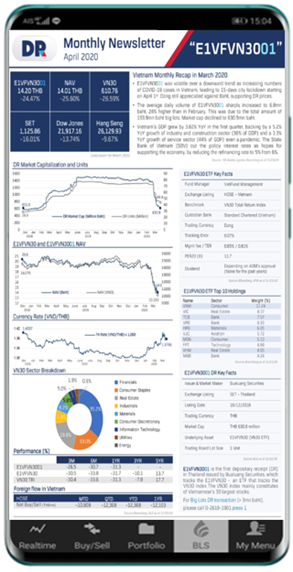
Stay updated with our in-depth seminars, learn more about global investments and follow more about Global investing at Bualuang Knowledge Sharing Read more…
Exclusive for our clients who open Global Investing account with Bualuang Securities.
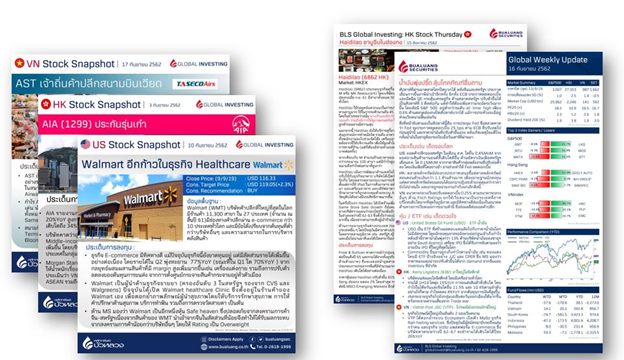
You will receive comprehensive market conditions summary and stock research reports that we have provided for you.
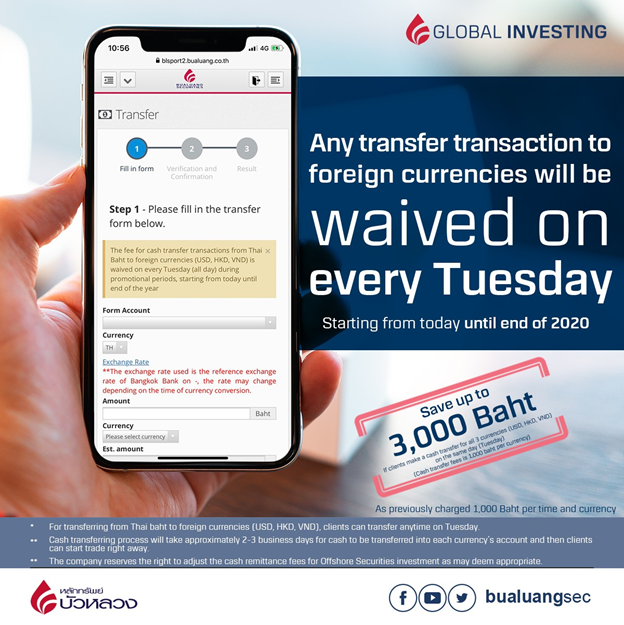
Special!! Any transfer transaction to foreign currencies will be waived on every Tuesday!!
As previously charged 1,000 Baht per time and currency. You can save up to 3,000 Baht if you make a cash transfer for all 3 currencies (USD, HKD, VND) on the same day (Tuesday)
 Share
Share
.webp)


.webp)